HTML Customer
Communication Templates
SuccessWare®21 allows you to create and edit HTML and plain text email communication templates to use with job notifications and when emailing invoices to customers. These templates can contain merge fields that are automatically replaced with the proper data from SuccessWare®21 when the communication is sent to the customer. In addition, when SuccessWare Invoice is enabled, a payment link can be included with invoice emails so that customers can pay their invoice directly online using SuccessWare Invoice.
Setup
Communications templates are included for all communications classes supported by SuccessWare®21. These templates can be modified using the Communications option in the Setup section of the main menu. Clicking the Communications option will show the Communications Dashboard:
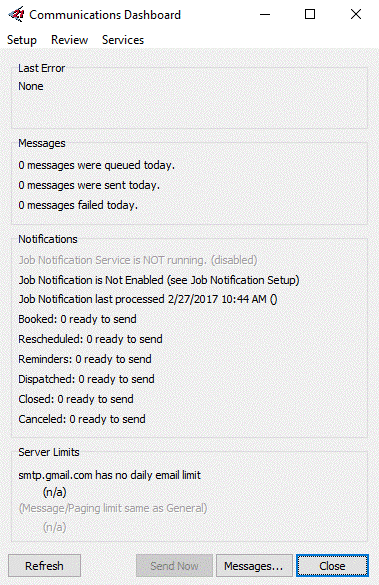
Within the Communications Dashboard, clicking on the Setup menu option followed by the Email Templates option will show the Customer Communications Templates dialog that lists the defined communications templates:
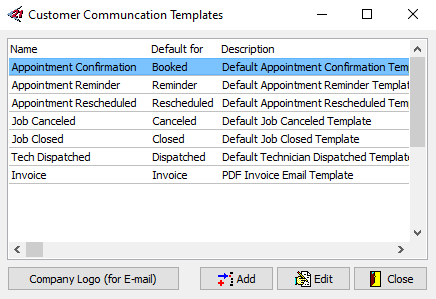
Clicking on the template in the grid and clicking on the Edit button will show the Email Template editor:
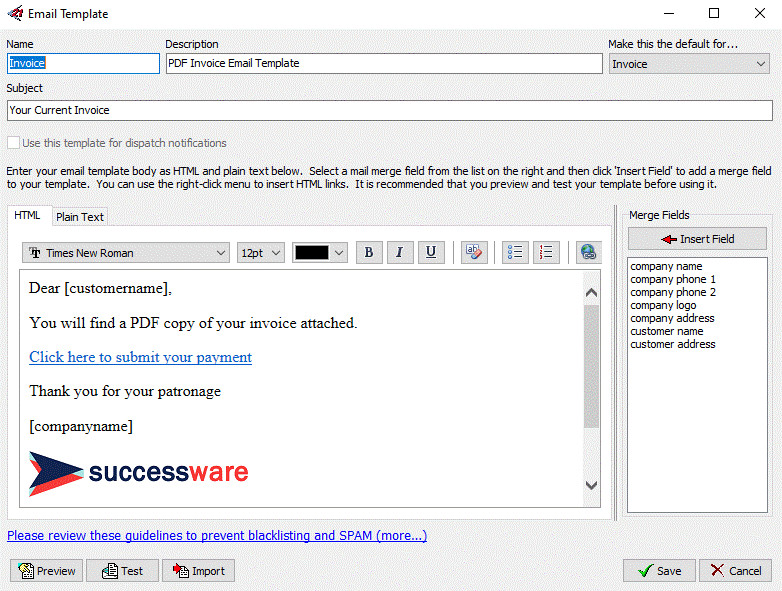
Editing of both HTML and plain text versions of each template is now supported and SuccessWare®21 will use both versions in emails so that customers will see the version that is appropriate for their email client. If either version (or both) is not defined, then SuccessWare®21 will only use the version that is defined.
If SuccessWare Invoice is enabled and the invoice communications template is being edited, a SuccessWare Invoice payment link can be inserted into the HTML version of the template by right-clicking within the HTML editor and selecting the Insert HTML Payment Link from the popup menu:
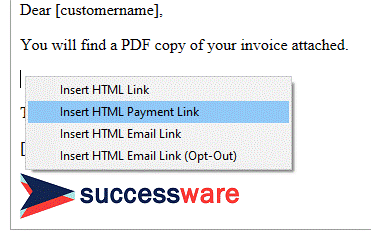
The HTML editor will prompt you for the text to show for the SuccessWare Invoice payment link, after which it will insert the payment link at the current cursor location in the HTML editor.
Using the Invoice
Template When Sending Invoice Emails
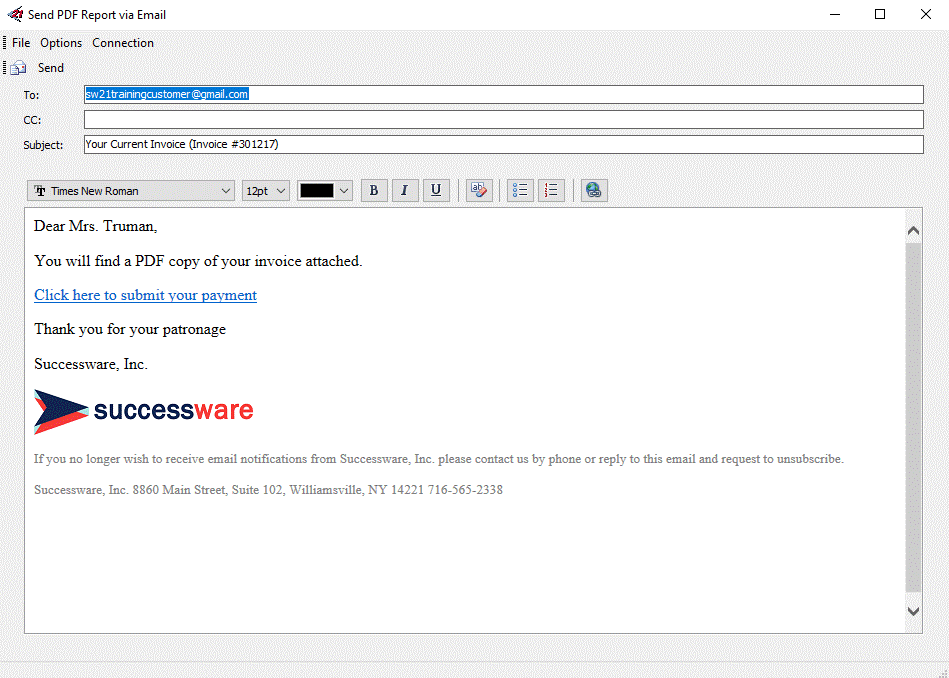
The new invoice communications template will be used when sending a PDF copy of an invoice to a customer. SuccessWare®21 now includes an HTML editor in the email dialog so that further revisions can be made to the email:
Warning: The SuccessWare Invoice payment link is automatically generated and merged into the invoice communications template to create the email that you see in the email dialog. Editing this link could break the link for the customer and prevent them from submitting the invoice payment using SuccessWare Invoice.
Related Permissions
Not applicable
Related Events
Not applicable